Ink.
The notebook
that keeps up.
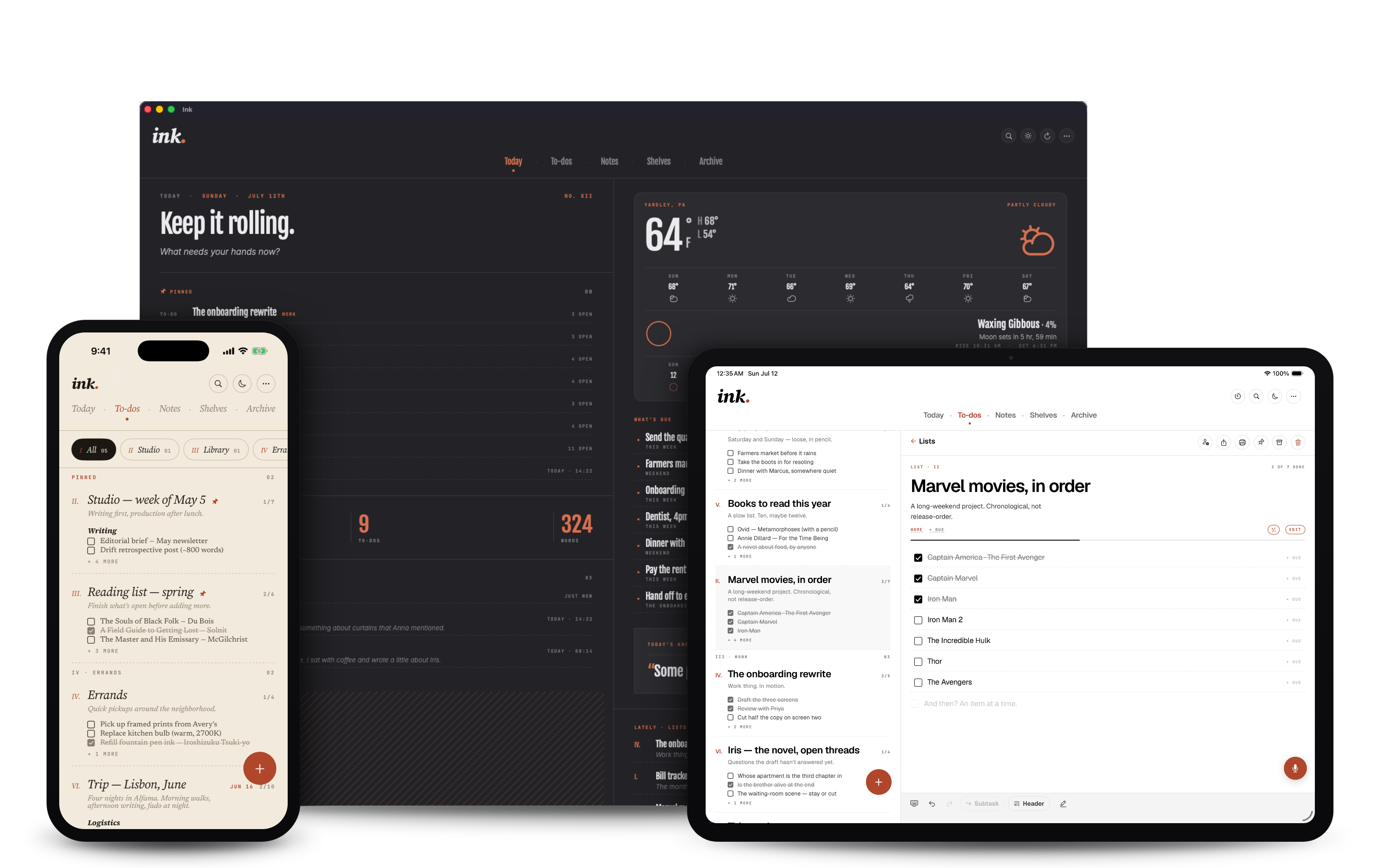
Ink turns your voice into clean notes, structured lists, and finished pages, on iPhone, iPad, and Mac. Speak naturally. Watch it take shape. Keep going.
Dictation, Done Right
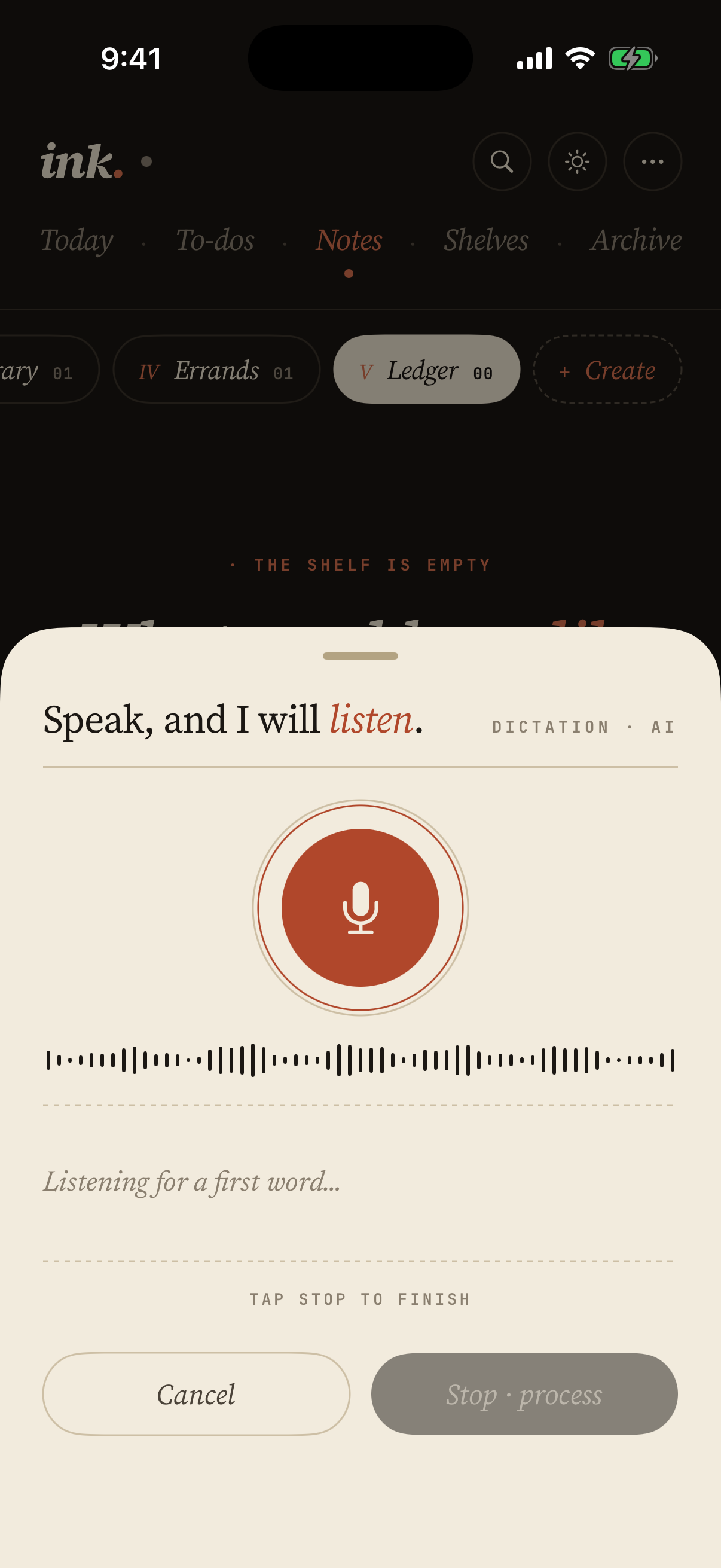
Speak naturally, Ink turns your voice into clean editorial notes via real on-device speech recognition.
AI as Editor, Not Author
Claude shapes your dictation into structured prose, headings, and lists, without rewriting your voice.
Notes & Lists
One canvas for both. Switch a paragraph into a checklist with a tap. Subtasks, headers, recurring items.
Shared Lists
Invite another Ink user by email and share a to-do list. Both of you check things off, add items, and reorder, and every copy stays in sync. A people icon marks it, a line shows who edited last.
Choose Your Paper
Read on the page you like best: Paper (warm cream), Arctic (crisp white), or Silver (cool gray). Each has its own light and dark, plus an optional fine paper texture.
Ledger Lists
Track money the same way you track tasks. Add line items by voice, Ink reads the sign, columns the amount, and totals it for you. Budgets, expense logs, mileage, splits, written instead of spreadsheeted.
Today Screens
Open the day the way you think. Four Today layouts: Newsprint, Planner, Pin Drop, and Magazine. Pick one for today, switch it tomorrow.
Real Rich Text
Bold, italic, links, headings, code blocks. Persistent across sync. Plain text underneath when you need it.
Four Font Packs
Paper (serif italic, editorial). Press (Playfair, classical). Modern (Geist, geometric). Studio (Fjalla One, display). Pick your voice.
Import & Export
Send a PDF, a document, or a photo of a page from any app's share sheet, or drop a file on the window on Mac. Ink reads the words into a note, and scans and photos are read on your device. Export as Markdown free, or as plain text, HTML, or rich text with Pro, and take a one-tap JSON backup. Your words are never trapped.
Yours Alone
Notes live in your iCloud, encrypted at rest, never on our servers. No analytics, no ads, no AI training on your text.
One Purchase, Every Device
Buy Ink once. Use it on iPhone, iPad, and Mac. Universal Purchase means your unlock works everywhere, and iCloud keeps every note, list, and ledger in sync across iPhone, iPad, Apple Watch, and Mac, surviving flaky networks and conflicts, without an account.
Native Mac, Not a Wrapper
Real Mac. Real iPhone. Ink sits in your menu bar, click it from any app, type or dictate a thought, and it lands on the shelf you choose. Edit menu Copy As Markdown, or as HTML, plain, or rich text with Pro. Command-Shift-C for Markdown. Arrow-key navigation through to-do rows. Native undo with the row's typed text intact.
On Your Wrist
Ink on Apple Watch shows what is due and lets you check it off without reaching for your phone. Put the next thing on your watch face and it is there. Free.
A Timer for Sitting Down
Set 15, 25, 45, or 60 minutes and Ink keeps a quiet countdown while you work. Pop it out into a full-screen ring on iPhone or a floating window on Mac, with a soft chime you choose when time is up.
Print, Beautifully
Tap the printer icon on any list, ledger, or note. Ink lays it out for paper with editorial type and page-break-aware sections, the same on iPhone, iPad, and Mac.
Shelves, Not Folders
Notes and lists live on shelves you name and rearrange, never rigid folders or nested hierarchies to maintain. Move things freely, see what each holds at a glance, and find what you need without digging.
Every Earlier Draft
Ink keeps a version of a page as you leave it. Read last week's draft beside today's, lift a paragraph back out, or bring the whole page back as a new one, which leaves everything written since where it is. Stored on your device, the newest 50 per page.
Lists You Can Run Again
Turn a list you already keep into one you can reuse. Ink clears last time's checkmarks and amounts, then asks for a name and a date, so a relative item like 'book transport seven days before' lands on the right day this time.
The Index at the Back
Every unfinished checkbox scattered through your notes, gathered on one page. Every passage you marked, on another. Check something off and it leaves the index on its own, so there is nothing to file and nothing to keep tidy.
Lock It Down
Protect Ink with a 4 or 6-digit passcode, plus Face ID or Touch ID. Turn it on once and every device on your iCloud account locks too.
Speak it once.
It's written.
Tap the mic and talk the way you actually think, half-formed sentences, mid-thought corrections, the occasional tangent. Ink listens, then shapes the transcript into something you'd be proud to read back.
A list comes out as a list. A thought becomes a paragraph. A plan organizes itself into sections and subtasks. You see the result before it lands, and you can keep editing the moment it does.
No re-typing. No babysitting the transcript. Just the part of writing where your ideas are already on the page.
Shelves,
not folders.
Every note and list lives on a shelf you name yourself. Rename anytime. Move things freely. See what's there at a glance.
There are no nested hierarchies to maintain, no filing systems to remember. Just a clean row of shelves, the way a real desk works.
Nothing
is trapped.
Import and export Markdown, HTML, plain text, or rich text. Back up everything to JSON with one tap and restore it the same way.
Ink syncs across iPhone, iPad, and Mac through iCloud. One purchase covers all three. Your notes go where you go, and if you ever leave, they leave with you.
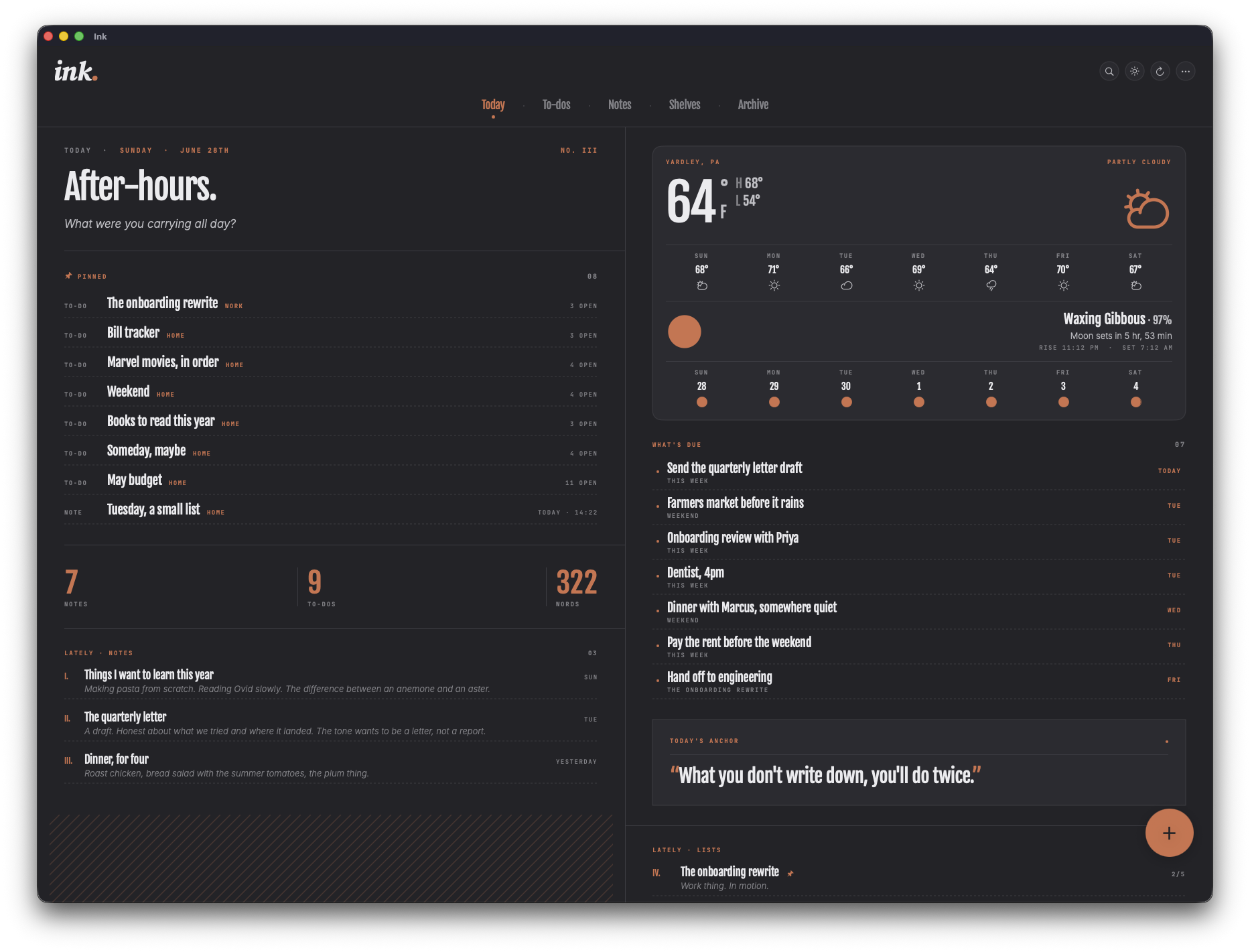
Four takes on your morning.
Ink's Today view isn't one layout. It's four. Newsprint, Planner, Pin Drop, and Magazine. Pick the layout that fits how you think today. Change it tomorrow.
What's new.
Basic Checkbook
A modern checkbook register that brings clarity to your finances.
Basic Intake
Supplement tracking with an AI advisor, streaks, and caregiver mode.

Drift
60-second micro-decompression, breathe, touch, listen, reset.

Basic Bins
The inventory you will actually keep. Photograph what goes in the box, label it, and see inside without lifting the lid.
Basic Fidgit
Fifty-six tactile screen fidgets with real haptics and sound.
Basic Deck
A frosted grid of tiles pinned to your Mac desktop. Launch anything in one click.